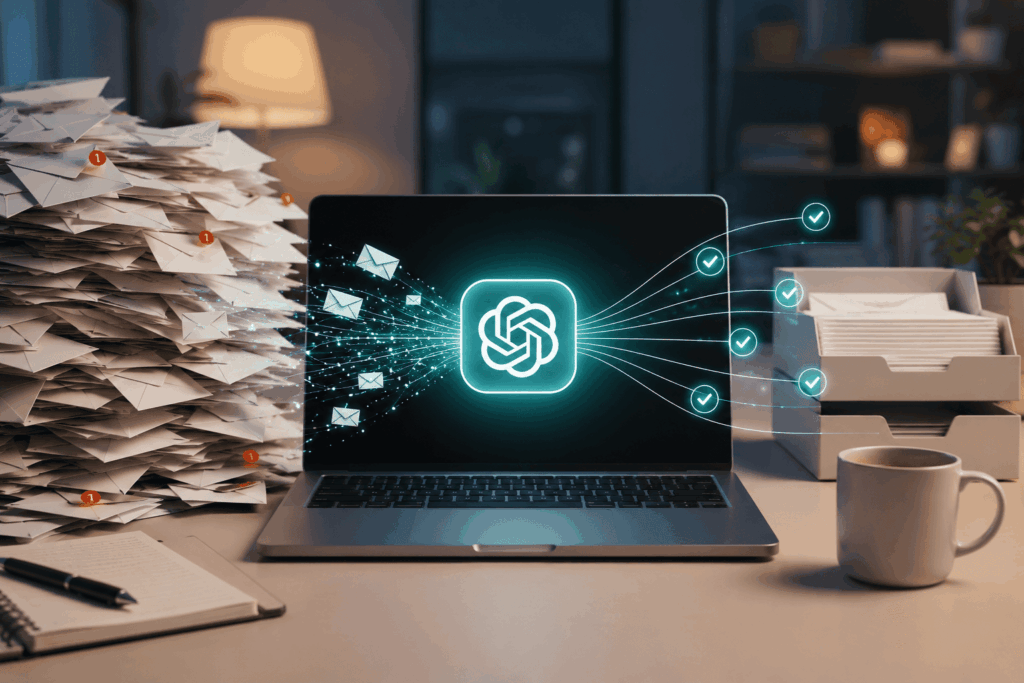
This number stares at you every morning, silently passing judgement. 847 unread emails. Not necessarily yours. It could be 247. Or 1,847. The number is not relevant; what is relevant is the feeling that arises from it – an ever-growing realisation that your inbox is not a tool for communication but a landfill of sorts.
You tell yourself you will clean it up after lunch. After the next meeting. Tomorrow. More weeks go by. The number only grows higher. As emails from important senders are drowned under an ocean of promotional emails, newsletters, automated notifications, and replies that seemingly never end.
In today’s professional world, email has been identified as one of the leading sources of work-related stress. However, even after decades of productivity tips and tricks, the strategies that have emerged have focused on organising email messages rather than streamlining their processing.
Until artificial intelligence came into play. As opposed to spending hours sifting through emails and composing answers, more and more professionals use ChatGPT as a helper for processing emails quickly, summing up discussions, prioritising, answering questions, and generating action plans within minutes.
The results are not merely a decluttered inbox. They have a clearer mind.
Why Email Rules the Productivity Wars
E-mail was meant to make communications easier. It did succeed to some degree. However, email also succeeded in making it easy to communicate.
With zero costs associated with sending an e-mail, the amount inevitably increases:
• Read the message
• Understand the context
• Decide if it matters
• Decide if any action is needed
• Respond to the message
• Follow-up
• Track deadlines
Every task might seem to be small individually. Collectively, however, these small decisions consume energy all day long. In scientific terms, the phenomenon is called decision fatigue. Processing each e-mail involves not only reading but also deciding on what action should be taken next.
This explains why inbox management methods tend to be so ineffective.
-
Filing allows organising information.
-
Labelling allows for categorising it.
-
Filtering allows routing of the information.
However, all those methods don’t address one crucial thing – the mental processing of incoming emails. The problem here is not about storage. It is about attention. Attention is one of the scarcest resources nowadays.
Meet ChatGPT: Your Personal Email Assistant
Everyone views ChatGPT as a writing aid. But increasingly, it turns out to be something even better – a decision support system.
For email management in particular, ChatGPT may act as the following:
-
Summary tool
-
Prioritization aid
-
Response generator
-
Task list creator
-
Meeting companion
-
Follow-up reminder
The point is obvious. People are good at making final decisions. AI is good at handling lots of data. Rather than having to go through 30 long emails, you could just ask ChatGPT to provide you with a summary. Rather than wasting 20 minutes writing standard responses, you could generate and then edit them instantly. Rather than compiling your tasks manually from random dialogues, you could ask ChatGPT to find all the action points for you.
The purpose isn’t to automate the decision process. It is to get rid of unnecessary cognitive load.
Inbox Zero in 15 Minutes

Think about opening your inbox on Monday morning with hundreds of unread emails.
Rather than trying to sort through it all manually, here’s a workflow to try out.
Minutes 1-3: Figure Out What Is Important
The first problem is determining what’s signal and what’s noise. Copying over a group of emails to ChatGPT and asking:
“Go through these emails and split them into four categories: urgent, important but not urgent, delegatable, and archive” will give you a prioritised list of emails.
Just doing this step makes things significantly less overwhelming because uncertainty often causes more stress than the actual workload itself.
Most inboxes are overwhelming precisely because people do not know where to start with their emails. But AI provides that clarity.
Minutes 4-6: Create Executive Summaries
Long email chains are one of the productivity drains. Project discussion threads, stakeholder update threads, vendor negotiation emails, and internal debate emails often run for dozens of emails.
But you don’t need to go through each one in detail. Instead, ask:
“Summarise these emails. Point out decisions, deadlines, risks and actions.”
It will feel like a brief compiled by an executive assistant. You’ll get the context without having to
Minutes 7–10: Draft Replies
Writing takes more time than reading. An even short reply needs to be structured, tonally managed, and edited.
ChatGPT helps you do this much faster.
For example:
“Write a professional reply that will acknowledge the receipt, answer the main questions, and outline further actions.”
Or:
“Compose a short reply under 100 words.”
Then you take the output as the first draft that needs to be reviewed, tonally adjusted, fact-checked, and sent. Many users notice that this cuts down the response time by more than half without compromising on quality.
Minutes 11–13: Create an Action List
E-mails have an invisible workload. Every request is a task. Every question is a project. Every deadline is an obligation.
Ask ChatGPT to:
“Identify all tasks in these e-mails. Provide owners, deadlines, and priorities.”
And suddenly your inbox turns into a project management dashboard.
Minutes 14-15: Make a Plan for Tomorrow
This is where true productivity happens.
Prompt:
“Based on these e-mails, what are the top five tasks that I should accomplish tomorrow?”
The result is not a bunch of scattered messages but a focused plan for you to follow. After fifteen minutes, you are no longer organising just your mailbox. It has been converted into a clear map for action. Five Powerful ChatGPT Email Prompts Professionals Are Using. While every workflow differs, certain prompts consistently deliver strong results.
The Executive Briefing Prompt
Distil these emails into a one-page executive summary. Include key information about updates, decisions, deadlines, and risks.
Just what managers and executives dealing with a lot of emails need.
The Response Drafting Prompt
“Write a concise, friendly, and actionable professional response.”
Perfect for everyday communication.
The Follow-Up Detector Prompt
“Detect emails needing follow-ups and prioritise them based on their importance.”
Great for ensuring no important dialogue goes unnoticed.
The Tone Improvement Prompt
“Revise this email to make it more professional, assertive, and cooperative.”
Great for difficult office discussions.
The Meeting Extraction Prompt
“Find meeting details such as the date, participants, action items, and prep work required in these emails.”
Great for busy schedules.
All of these prompts not only help you save time. They also decrease your cognitive load.
ChatGPT: Things That It Still Can’t Do?

While it does many things right, AI isn’t perfect for inbox management. There are significant downsides.
First, privacy is important. Confidential legal documents, sensitive company information, protected information or any other type of regulated information should be managed according to company policy.
Second, AI lacks full context. AI might misinterpret organisational politics, political sensitivities, or history, which plays a role in making the decision.
Third, AI cannot make judgements. Decisions about possible risks associated with the client’s relationships, trade-offs between strategy and tactics or any leadership decisions can only be made by humans.
The best solution would be to treat ChatGPT as an advisor rather than the ultimate truth. It helps you to think faster. It doesn’t substitute for your thoughts.
But What About the Big Picture? The Future of Knowledge Work Is AI-Assisted Email Management
While the emergence of AI-based email management represents a particular case, there is also a general trend behind it.
For decades, people worked with software using software interfaces.
-
Searching for information.
-
Organising files.
-
Sorting messages.
-
Generating reports.
Nowadays, AI takes care of these intermediary processes. The workflow moves from search to requests. From organisation to delegation. From information processing to results interpretation.
Email management is just the domain where it starts becoming obvious. The same applies to research, scheduling, document creation, customer service, software development, project management, etc. And now the key issue is not how to perform some task, but rather how to ask AI to do 80% of it.
Inbox Zero Was Never the Point
Productivity experts have long preached the gospel of Inbox Zero, the holy grail of efficiency.
-
A completely clean inbox.
-
No unread emails.
-
No unfinished threads.
-
No digital detritus.
But maybe that was never the point. The goal isn’t getting rid of emails. The goal is to get rid of the wasted effort devoted to emails.
An inbox with 847 unread emails isn’t necessarily a problem. The problem is when those emails take control of your attention and time. AI provides a new way forward. Rather than making people adapt to endless streams of information, it makes information adapt to people.
Your inbox could have 84, 847, or 8,847 unread emails. The future of productivity might not involve processing emails any faster. It might involve spending much less time even thinking about email. And that future is already here—one summarised inbox at a time.
Frequently asked questions
How can ChatGPT help with email management?
ChatGPT can act as a summary tool, prioritization aid, response generator, task list creator, and follow-up reminder, streamlining the email processing experience.
What is the first step in using ChatGPT for inbox management?
The first step is to determine what’s important by categorizing emails into urgent, important but not urgent, delegatable, and archive.
What are some limitations of using ChatGPT for email?
ChatGPT may misinterpret context, lacks full understanding of organizational politics, and cannot make nuanced judgments, so it should be used as an advisor rather than the ultimate decision-maker.